
Description
ENTERASYS A4H254-8F8T Product Introduction
Model: A4H254-8F8T
Brand: ENTERASYS Networks (Extreme Networks)
Series: ENTERASYS A-Series Switches
Core Function: High-speed network data switching & management
Type: L2/L3 Edge Switch (Network Switch)
Key Specs: 16 ports, 40 Gbps switching capacity, IEEE 802.3
Supply Status: in stock
Stock: 18
Warranty: 1 year
Ship From: China
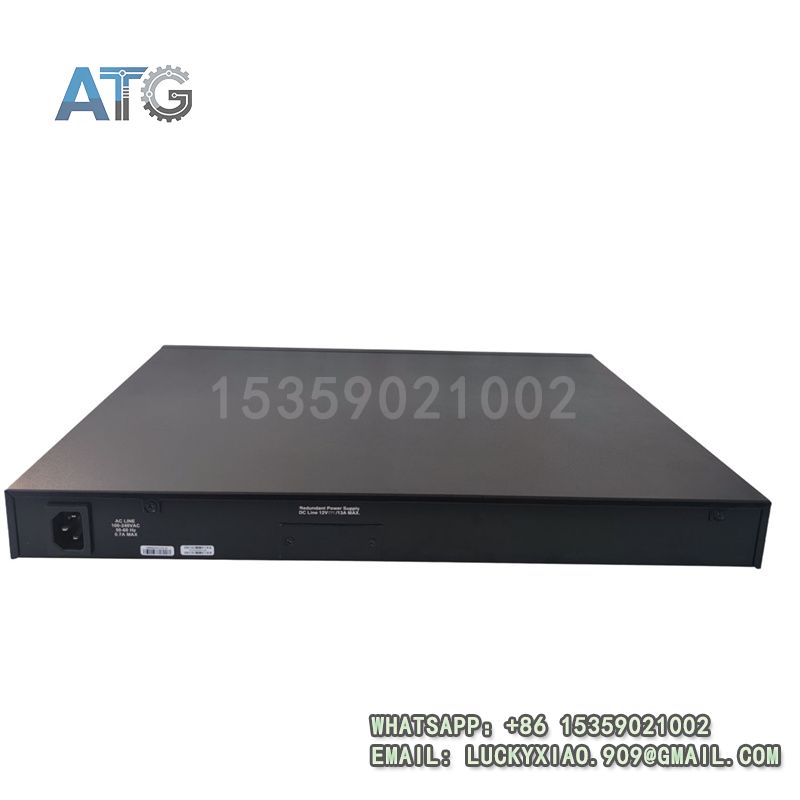
A4H254-8F8T
Detailed Technical Specifications
It features 8 Gigabit Ethernet ports (10/100/1000 Mbps) for wired devices.
It is equipped with 8 Gigabit fiber ports (10/100/1000 Mbps) for long-distance transmission.
Switching capacity reaches 40 Gbps for non-blocking data exchange.
Forwarding rate is 5.14 Mpps to ensure low-latency data transmission.
Power supply: AC power, with optional redundant power for high availability.
Operating temperature range: -5°C to 50°C, adapting to diverse environments.
Storage temperature: -40°C to 70°C, ensuring stable storage performance.
Humidity tolerance: 5%~95% (non-condensing), no condensation damage.
Protection grade: IP30, effectively preventing dust and small particles.
MAC address table: 8K, supporting multiple terminal connections.
Cache capacity: 2 MB, reducing data packet loss during peak periods.
Core Technical Features
Supports L2/L3 layer switching for flexible network deployment.
Stackable design allows up to 8 switches to form a virtual switch.
Built-in QoS function prioritizes mission-critical application traffic.
Supports VLAN (up to 256) for logical network segmentation and security.
Integrates ACL and 802.1X authentication for enhanced network security.
Hot-swappable modules enable online maintenance without shutdown.
Supports link aggregation to improve network bandwidth and reliability.
EMC compliant with industry standards for strong anti-interference ability.
Fan-less design for quiet operation in office and classroom environments.
System Application, Role & Working Principle
Applicable System: It is a core edge switch for enterprise networks. It integrates seamlessly into small and medium-sized enterprise networks, data centers and campus networks. It is widely used in education, medical, finance and manufacturing industries.
System Role: It acts as a bridge between network devices. It connects servers, workstations and wireless access points. It manages network traffic to avoid congestion. It ensures stable and secure data transmission across the network.
Working Principle: It receives data packets from connected devices. It parses and filters packets based on MAC addresses and protocols. It forwards valid packets to target devices efficiently. It monitors network status and triggers alarms for abnormalities. It supports remote management for convenient configuration and maintenance.
Physical Parameters
Dimensions: 441.5 mm × 260.5 mm × 44.5 mm, 19-inch rack-mountable.
Weight: Approximately 5.4 kg, stable and easy to install.
Mounting: 19-inch standard rack mounting, saving cabinet space.
Enclosure Material: High-strength metal, anti-corrosion and anti-impact.
Indicator Lights: LED indicators for port status, power and system operation.
Application Industries
Enterprise Network: Builds core or access layer networks. Connects internal devices for efficient data exchange.
Data Center: Provides high-speed connections for servers and storage devices. Supports large-scale device deployment.
Education Industry: Used in campus networks. Connects classrooms, offices and teaching equipment.
Medical Industry: Ensures stable transmission of medical equipment data. Protects sensitive medical information.
Manufacturing Industry: Adapts to industrial environments. Supports industrial automation network connections.
Technical Usage Instructions
Installation: Mount it on a 19-inch standard rack. Ensure firm fixation and good ventilation. Keep it away from high-temperature heat sources and moisture.
Wiring: Use standard Ethernet cables for copper ports. Use matching fiber optic cables for fiber ports. Ensure correct port connection to avoid signal loss.
Configuration: Support Web GUI, CLI and SNMP management. Set VLAN, QoS and security parameters as needed. Save configuration after setup.
Maintenance: Check LED indicators regularly to monitor operation status. Clean surface dust with a dry soft cloth. Test network connectivity quarterly.
Safety Notes: Cut off power before maintenance. Do not exceed rated voltage and current. Only qualified technicians can perform debugging.
Compatibility & Replacement
Compatible with ENTERASYS A-Series switches for seamless expansion.
Supports backward compatibility with legacy ENTERASYS network systems.
Can directly replace old A-Series edge switches for easy upgrade.
Compatible with third-party network devices via standard IEEE protocols.