
Description
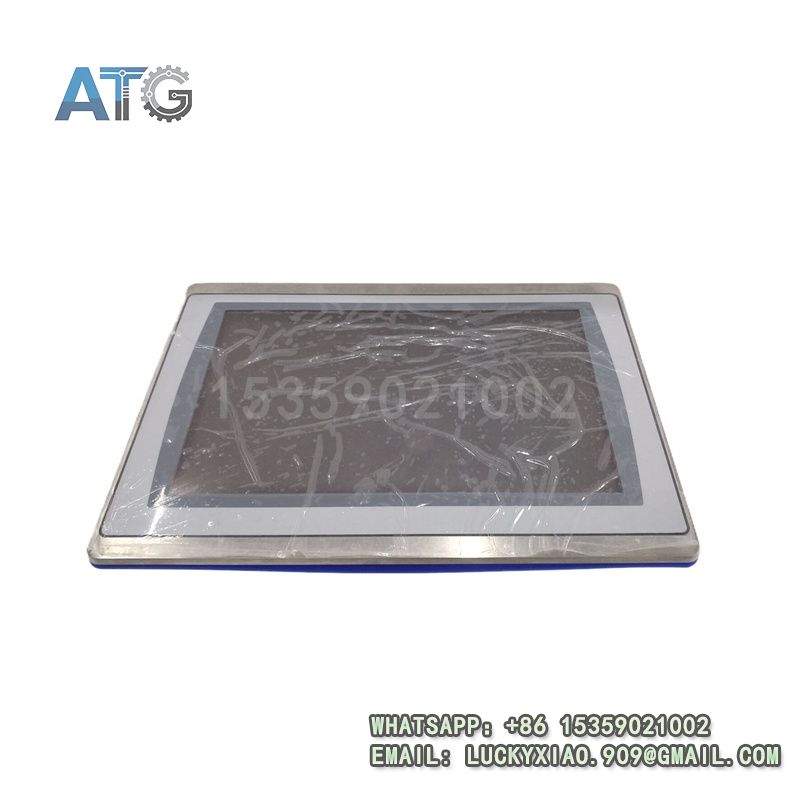
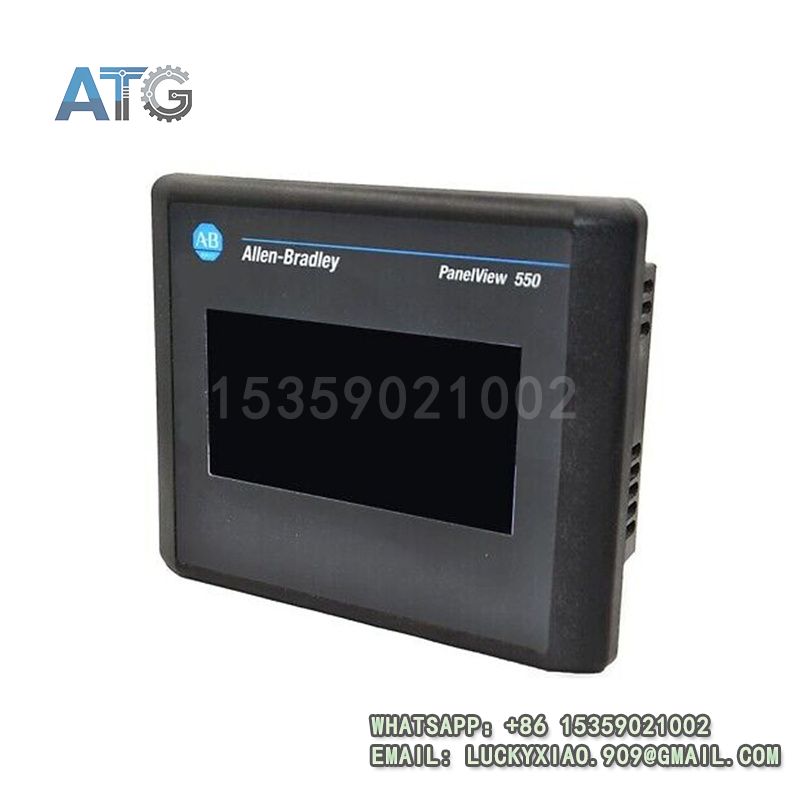
2711P-T7C4D8TP Allen-Bradley Product Introduction
- Model: 2711P-T7C4D8TP
- Brand: Allen-Bradley (Rockwell Automation)
- Series: Allen-Bradley 2711P PanelView Plus HMI Series
- Core Function: Industrial automation human-machine interaction
- Type: HMI (Human-Machine Interface) Touch Screen
- Key Specs: 7-inch, 24VDC, Ethernet/IP
- Supply Status: In Stock
- Stock: 4
- Warranty: 1 year
- Ship From: China
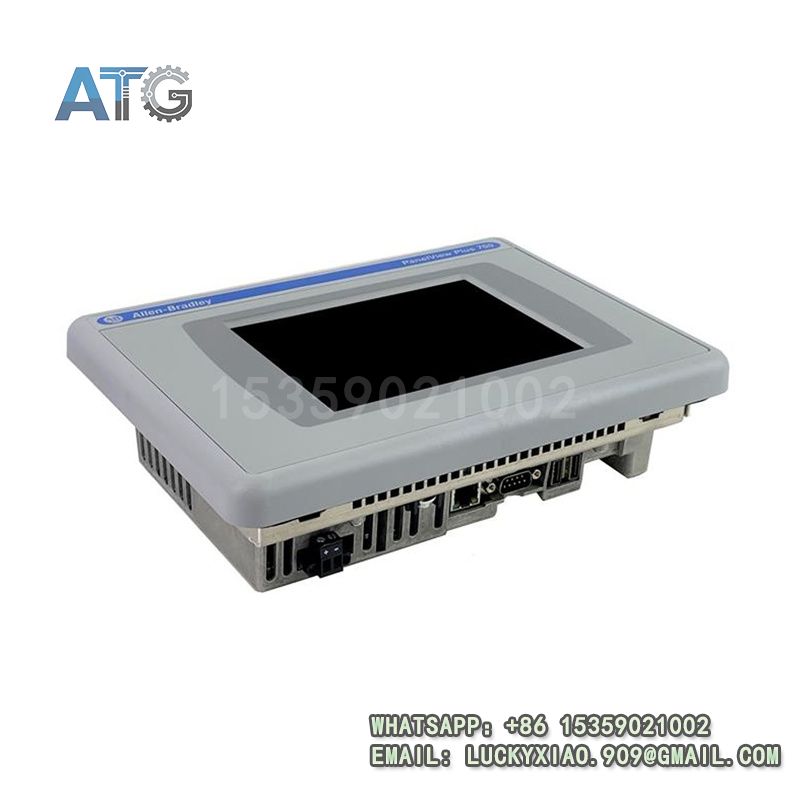
2711P-T7C4D8TP
Product System Function Introduction
The 2711P-T7C4D8TP is a compact, high-performance HMI touch screen under Allen-Bradley’s 2711P PanelView Plus Series, specially designed to realize convenient and reliable human-machine interaction in small to medium-sized industrial automation systems. Its specific system functions are divided into the following points:
1. Functional Positioning and Core Value: As a compact member of the 2711P PanelView Plus Series, this HMI touch screen is positioned as a practical human-machine interaction terminal, responsible for displaying real-time equipment status, setting control parameters, sending operation commands and displaying fault alarms. Its core value lies in bridging the gap between operators and automation equipment, enabling intuitive operation and real-time monitoring, improving operation efficiency and reducing misoperation risks in space-constrained scenarios.
2. Display Performance and Operation Experience: The module is equipped with a 7-inch high-definition color touch screen, with clear display effect and wide viewing angle, which can clearly display various data, graphics, operation buttons and fault prompts even in harsh industrial environments. It adopts a high-sensitivity capacitive touch design, supports single-touch operation, with smooth response and comfortable operation feel. The compact size makes it suitable for installation in narrow spaces, and the customizable interface can be adjusted according to actual production needs, facilitating operators to quickly grasp key information.
3. Communication Compatibility and System Integration: It supports Ethernet/IP communication protocol as standard, which can realize seamless data interaction with Allen-Bradley 1756 ControlLogix, 1769 CompactLogix series controllers, as well as servo drives, I/O modules and other industrial equipment. It can be seamlessly integrated into industrial Ethernet networks, realizing real-time synchronization of data between the HMI and the automation system, facilitating unified monitoring and management of the entire production line. In addition, it supports multiple communication protocols, which can be compatible with third-party equipment, expanding the application scope.
4. Reliability and Practicality: The module adopts a ruggedized industrial design, with strong dust-proof, water-proof and anti-vibration performance, which can adapt to harsh industrial on-site environments such as high temperature, high humidity and strong electromagnetic interference. It is equipped with a built-in fault self-diagnosis function, which can timely detect communication faults and hardware abnormalities and send alarm signals, facilitating maintenance personnel to quickly troubleshoot. The low-power design ensures long-term stable operation, reducing the overall operation and maintenance cost of the system.
Application Industries
With its compact structure, excellent display performance, strong compatibility and high reliability, the 2711P-T7C4D8TP HMI touch screen is widely used in various industrial fields that require compact human-machine interaction terminals, mainly covering the following fields:
1. Small-Scale Industrial Automation: Applied in small production lines, stand-alone equipment and small workshops with limited installation space, it is used to display real-time operation status of equipment, set control parameters, and realize manual operation and fault alarm, ensuring the smooth operation of the production line.
2. Automotive Manufacturing Industry: Used in automobile parts processing equipment, auxiliary production lines and compact assembly stations, it is connected with small robots, sensors and conveyors to display equipment operation parameters and fault information, facilitating operators to monitor and control the production process in real time.
3. Electronic Manufacturing Industry: Applied in electronic component processing, PCB assembly and semiconductor equipment, it displays production parameters, equipment status and processing progress, facilitates operators to adjust process parameters, and ensures the accuracy of component processing and assembly.
4. Packaging Machinery: Used in small and medium-sized packaging machines, labeling machines and filling equipment, it displays production counts, equipment status and process parameters, realizes simple operation control, and improves packaging efficiency and stability.
5. Medical Equipment: Applied in small medical automation equipment (such as sample testing equipment, small surgical auxiliary equipment), it displays equipment operation status and working parameters, realizes simple operation control, and ensures the safety and accuracy of medical equipment operation.
Usage Instructions
To ensure the long-term stable operation of the 2711P-T7C4D8TP HMI touch screen and the smooth operation of the industrial automation system, the following usage instructions should be followed:
1. Installation Requirements: Install the HMI touch screen in a dry, well-ventilated position, avoiding direct sunlight, high temperature (above 65℃) and areas with strong vibration or heavy dust. Due to its compact size, it can be installed in narrow spaces, but ensure firm installation and flat installation surface to avoid damage to the touch screen due to uneven force. Keep a certain distance from high-voltage components to avoid electromagnetic interference.
2. Wiring Specifications: The module adopts 24VDC power supply. When connecting the power supply, strictly distinguish the positive and negative poles, and never reverse the connection to avoid short circuit burning the internal components. For communication wiring, use a standard Ethernet cable to connect to the Ethernet/IP port, ensure the wiring is firm and the contact is good, and the shielding layer of the cable should be properly grounded to reduce electromagnetic interference. It is strictly prohibited to wire with power on to avoid electrical shock or equipment damage.
3. Parameter Configuration and Interface Customization: Use Allen-Bradley FactoryTalk View Studio software to configure the HMI parameters, including communication parameters (IP address, subnet mask, gateway), interface design, data display, alarm setting and operation authority management. Customize the operation interface according to actual production needs, simplify the operation process, and facilitate operators to use. After configuration, download the project to the HMI touch screen and restart the device to make the configuration take effect.
4. Operation and Maintenance: During daily operation, regularly clean the touch screen surface with a soft dry cloth to remove dust and stains, avoiding scratching the screen. Do not use sharp objects to touch the screen to prevent damage to the touch layer. Regularly check the running status of the HMI, including power indicator, communication indicator and screen display, and timely handle abnormalities such as screen blackout and communication interruption. Regularly back up the HMI project file to a computer or storage device to prevent project loss due to unexpected faults.
5. Safety Precautions: Cut off the power supply before installation, disassembly or wiring to prevent electrical shock. Do not touch the module terminals or internal components with wet hands or metal tools to avoid short circuit. Avoid collision or impact on the touch screen to prevent physical damage to the screen and internal components. In flammable and explosive industrial environments, strictly follow the on-site safety regulations and ensure that the module is used in a safe environment to prevent safety accidents.